
Hear the effect.
Build it into your plugin.
Audition a sOURnd engine in your browser, then use that same DSP in your JUCE plugin. Add it yourself, or hand your coding agent the instructions. 68 effects and 42 synths to choose from.
Hear EbbAll 68 effectsWhat are engines?

Hear it, then build with it
New today: Ebb
Scurrow
A restless hybrid voice: a phase-modulated digital tone into a chirpy, unstable two-pole filter that gets vocal and aggressive but never quite sings on its own. A new synth takes this spot every Monday.
1Hear it
Press play on the picture to hear Scurrow. On its own page you play it yourself, with keys, pads or MIDI, and move every dial.
2Build it in
Paste this into your coding assistant. It adds Scurrow to your JUCE plugin, played from your MIDI:
Add the sournd instrument org.sournd.instrument.scurrow to my JUCE plugin. Follow https://sournd.com/docs/juce/index.md
and the instrument reference at https://sournd.com/sounds/scurrow/index.md. Expose every parameter through APVTS and feed it my MidiBuffer.
Or add it yourself, in three CMake lines:
juce_add_module(path/to/sournd_engine)
target_include_directories(MyPlugin PRIVATE path/to/include)
target_link_libraries(MyPlugin PRIVATE sournd_engine path/to/libsournd_cabi.a)
Harmonic tremolo: lows and highs pulse in opposite phase, so the tone rocks between warm and bright with a subtle phasey sway instead of a plain volume throb. Every dial plays here, rendered on our server by the real engine. What you hear is what goes into your plugin.
1Hear it
Play a test sound or your own file, move the dials, and press Bypass to compare with the dry sound.
2Build it in
Paste this into your coding assistant. It adds Ebb to your JUCE plugin with every parameter wired up:
Add the sournd engine org.sournd.modulation.ebb to my JUCE plugin. Follow https://sournd.com/docs/juce/index.md
and the engine reference at https://sournd.com/engines/ebb/index.md. Expose every parameter through APVTS.
Or add it yourself, in three CMake lines:
juce_add_module(path/to/sournd_engine)
target_include_directories(MyPlugin PRIVATE path/to/include)
target_link_libraries(MyPlugin PRIVATE sournd_engine path/to/libsournd_cabi.a)
Get Ebb, £2.99All about EbbJUCE quick start
Ebb is a paid engine: buy it once or get it in a plan. 32 engines are free to download with no account.
- Where it runsmacOS (universal), Linux (x86_64 and aarch64) and Windows (x64), in JUCE 8 through a small C ABI.
- Try it free32 engines are free, with no account or email. Browse the free engines.
- What you can shipBuild engines into your own plugins and games and sell them. Read the licence for the terms on paid engines.
Step inside
Every engine tells its own story
A clipper is a storm with a ceiling. A ducker is a pond of ducks making way for a boat. Turn the sound on and hover: each world wakes up and plays you its engine.
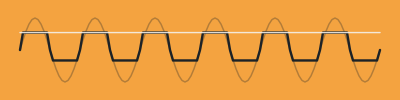 Waves rise. The ceiling holds.
Brimm
Clipper: shaves peaks at a ceiling you set, with a hard, soft or knee corner, oversampled for clean highs. Push the drive for loudness and bite, or keep it low to catch stray transients.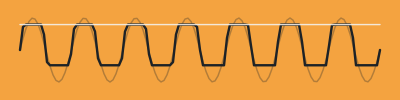 It wakes when you turn it up.
Monstrous Mandarin
Thick valve-amp drive that saturates early and sits heavy in the low mids, with a dark-to-cutting tone sweep and a speaker-and-mic voice you can pull back to feed your own cab. Held notes rise into light.
Shimmerhall
Shimmer reverb: a long, gently moving space whose tail is pitch-shifted and fed back into itself, so held notes bloom into a bright halo an octave or a fifth above. Shimmer sets how much climbs. Interval: 0 = octave up, 1 = fifth up, 2 = octave and fifth, 3 = octave and octave-plus-fifth, 4 = octave down and up.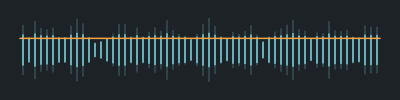 Thousands of parts, one motion.
Unisill
Glue compressor: RMS sensing that blends feed-forward and feedback detection, a soft knee and a release that speeds up on transient material and relaxes on sustained material.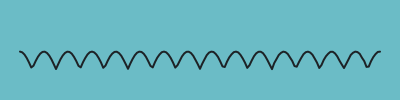 A voice in any sound.
Glottan
A vowel filter: three resonant peaks shaped like a voice, slid between two vowels by hand, by an LFO or by how hard the input plays, for talking, wah and growl tones. Spin up. Spin down. Real weight.
Gyrecast
Rotating speaker: a spinning treble horn and bass drum, slow or fast, that speed up and slow down with real weight, heard by two microphones for a wide swirling stereo image. Every echo, played backwards.
Backwash
Backwards echo: every chunk of time is played back reversed during the next one, so notes swell in from nothing and cut off. Feedback flips the repeats back and forth. Fade sets how soft each chunk's edges are. Sync: 0 = free, 1..13 = 1/32 to 1 bar (chunks longer than 2 s are held at 2 s). Hold the moment forever.
Glacine
Sustainer: turn Hold on and the current sound is captured and held indefinitely as a smooth, evolving texture, blended under or over the live signal. While held, the trigger decides when it crossfades to a fresh capture: 0 = manual (only when Hold is switched on), 1 = new note (a stable pitch change larger than Pitch change), 2 = transient, 3 = every N beats, 4 = every N bars (host grid, or the Tempo control without one). Switching Hold off lets the held sound die away over Release. Chords that rise and sink together.
Octrel
Clean polyphonic octaves: a sub, a second sub and an octave up that follow chords, with their own levels, a darkening filter for the subs and a squash that keeps the octave voices even. Played a thousand times before you.
Patinor
Lo-fi character: makes anything sound played back from a worn record or tape, with drifting pitch, flutter, crackle and dust pops, hiss, a narrow bandwidth, gentle age saturation and optional bit and sample-rate crush. The surface noise rides under the playing and fades out with it.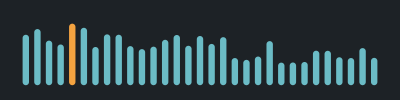 Every band, a tower of light.
Huescope
Spectrum meter: 31 third-octave band levels from 20 Hz to 20 kHz with an optional display tilt, plus peak and RMS. Audio passes untouched. Endless air, warm or open.
Aulana
Lush, slowly moving hall. Separate low and high decay let the tail stay warm and dark or open and airy. A jet sweep across the sky.
Jetwake
Jet-sweep flanger with positive or negative feedback and a near through-zero mode that sweeps the echo across the dry signal.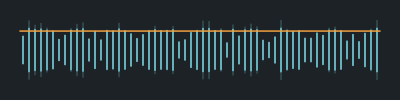 Closed until it should open.
Sluice
Gate and downward expander: opens above the threshold, closes below it minus the hysteresis after the hold time, and expands at the chosen ratio down to the range floor.
Play
Program a beat. Hear it through an engine.
Tap steps to switch them on; tap an instrument's name to mute it. Bass and chord steps cycle root, fifth and octave. Every sound is a simple test voice you program; the engine running live in your browser does the rest. PLAY runs the open engines; paid engines play their studio demos on their own pages.
Pick an engine, then press play.
Choose an engine
Connect your agent
Your coding assistant can find, choose and wire in an engine by itself
Audio effect engines for JUCE plugins. Each engine is a tested Rust DSP module behind a small C ABI, with a JUCE module that turns its parameters into an APVTS. Drop one into your plugin with three CMake lines. Effects on audio you supply and instruments you play: never generated music.
- 32 free engines, no account needed
- 0 allocations on the audio thread
- 3 CMake lines
- Bit-exact through the C ABI
Everything here is written for a machine to read as well as you:
/llms.txtsays where everything is, and every page has a Markdown twin atindex.md./catalog.jsonholds all 110 engines with every parameter, range, default, licence tier and price.- An MCP server and a REST API let an agent search, compare and fetch integration code.
- An agent can prepare a checkout, but only you can pay. How agents use sOURnd.
Or describe the sound and let it choose:
Read https://sournd.com/llms.txt, pick a sournd engine for a warm tape delay and add it to my JUCE plugin.